
Clinic schedule: shifts and holidays
Practical guide for clinics to schedule double shifts, log holidays and manage one-off blocks without breaking the schedule or overloading the front desk

Key Takeaways
- A practical schedule grid defines opening rules, shifts and exceptions, and prevents every change from being handled “manually” at the front desk.
- Vacations should be recorded as absences, not as “slots left unblocked”, to keep traceability and avoid misplaced appointments.
- A split morning–afternoon rota works when overlaps, breaks and last-appointment limits per professional are fixed.
- A good slot-blocking system distinguishes reason, owner and review date so a block does not remain “forever”.
A schedule does not break because of a lack of hours, but because of a lack of rules. If you manage split shifts, vacations and occasional blocks, the schedule grid is your control tool.
What a useful schedule grid must include
A schedule grid is not a pretty Excel sheet or a photo of the month. It is a set of operational rules that translate into the schedule: who sees patients, when, appointment duration and which exceptions apply.
Define the “clinic’s weekly opening hours” before assigning shifts
Before assigning people, set the clinic’s weekly opening hours as the framework. This prevents each clinician “bringing their own hours” and the front desk ending up negotiating slots on every call.
Definition checklist (decision by management or medical director):
- Actual days and hours of opening (include whether phones are answered outside consultations).
- High-demand windows (e.g., afternoons) and low-demand windows (e.g., midday).
- Last-appointment policy: the latest time a patient may start an appointment depending on service.
- Mandatory breaks: meals, room cleaning, cash closing, etc.
Action for this week: print or share a “opening rules” sheet and validate with the front desk and clinical leads that it matches what actually happens.
Separate three layers: clinic, professional and room/resource
When everything is mixed in a single calendar, any change creates a domino effect. Work with three layers:
- Clinic: general openings and closures (local holidays, inventory, in-house training).
- Professional: daily availability, shifts, absences, internal on-call duties if any.
- Room/resource: cabins, treatment rooms, ultrasound machine, procedure room, etc., if they condition the appointment.
Typical conflict example: “The professional is available, but the room is blocked for maintenance.” If you don’t separate layers, the front desk just sees “no slots” and doesn’t know why.
Action: review a past week with incidents and classify each one: did the clinic, professional or room layer fail?
Minimum appointment standards so the schedule grid works
The grid is enforced in the schedule through appointment rules. If each appointment is created differently, the shift pattern is not respected.
Define and document:
- Standard duration by service type (not clinical detail; just schedule time).
- Preparation time if applicable (e.g., room occupied 10 minutes beforehand).
- Wrap-up time (notes, payment, sterilisation, etc.).
- What counts as a sellable slot (a 10-minute slot may not be sellable).
Action: on Monday, ask the front desk to note three cases of “appointment didn’t fit” and why; on Tuesday, adjust the rules.
Split morning and afternoon shifts without “holes” in the schedule
The split morning–afternoon shift usually fails for three reasons: poorly defined overlaps, invisible breaks and no last-appointment limits. The result is always the same: delays, waiting and tension at the front desk.
Decide whether the split shift is separated or has an overlap
Two common models:
- Split shift: morning and afternoon separated by a clear cut (lunch, partial closure).
- Shift with overlap: some team members start earlier or finish later to cover the transition.
What doesn’t work is an “informal overlap”: everyone arrives “when they can” and the front desk tries to fit it all in.
What to put in writing in the schedule grid:
- Exact start and end time of each segment.
- If there is an overlap, how long it lasts and what it is used for (absorbing schedule urgencies, calls, delayed payments).
- Who decides ad hoc shift changes (not “whoever is at the front desk”).
Action: define a minimum operational overlap (even if short) so the front desk can reallocate incidents without moving the whole afternoon.
Mark breaks as non-bookable time, not as “open slots”
Breaks that are not blocked become slipped-in appointments. Then the professional “skips the break” and the system learns the worst habit.
In the schedule, a break should be shown as:
- Non-bookable.
- With a reason (meal, technical break, internal coordination).
- With an approver responsible for moving it.
Action: review the grid and convert breaks that are currently empty slots into explicit blocks.
Control the end of the shift: last appointment and closing margin
The end of the shift is where delays that carry into the next day appear: pending notes, payments, confirmation calls.
Practical rules:
- Set the last entry time by appointment type (not by patient preference).
- Reserve a closing margin for internal tasks (even if brief).
- If “emergency slots” are allowed, define how many and where.
Action: pick two afternoons this week and check whether the professional leaves on time; if not, identify whether last-appointment rules or closing margin failed.
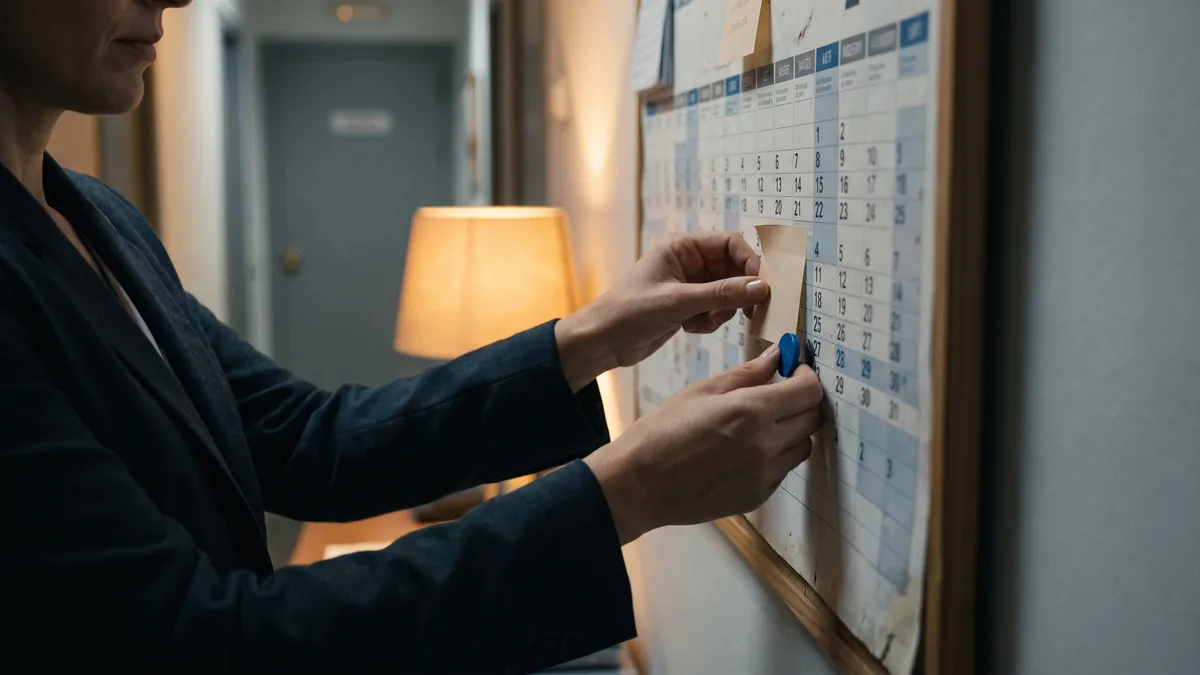
Vacations: how to reflect them without losing control
The issue is not “people being absent”, but how the vacation period is represented in the schedule. If it’s handled as slots that disappear, later no one can explain why there was no availability or who authorised what.
Record vacations as absences, not as clinic closures
Differentiate:
- Clinic closure: no service for anyone.
- Professional vacation: the clinic can remain open with other resources.
If you mix them up, two errors happen:
- You block more than necessary (you lose capacity).
- You block less than necessary (appointments sneak in with the absent professional).
What the vacation record must include:
- Exact dates (start and end).
- Affected professional.
- Whether there is cover and under what rules (which services another professional can take on).
- Internal contact for incidents (who authorises exceptions).
Action: before approving vacations, check the grid for alternative resources for the most demanded services and decide whether to limit the offer those weeks.
Set an internal notice policy to avoid improvisation
This is not about impossible notice periods; it’s about the front desk not learning about changes by hearsay. Define a simple circuit:
- Request (professional) → approval (management) → record in the schedule (front desk or designated person).
- Confirmation to the professional that it has been recorded.
Action: create a five-point vacation checklist and use it every time (even as a shared document).
Rebooking: call script and prioritisation criteria
When vacations arrive, the trickiest task follows: moving appointments without upsetting many patients. Avoid improvisation with a script and criteria.
Operational script for the front desk (no clinical content):
- “I’m calling about a change in the professional’s availability on that date.”
- “I have these alternative days and times; which suits you best?”
- “If you prefer, I can also offer another professional at the same site, if they are available for that service.”
Prioritisation criteria (decision by the clinic):
- Already-confirmed appointments before pre-reservations.
- Patients who travel long distances (if the clinic records this) or with known time constraints in their patient record.
- Services that require a specific room/resource.
What to record in the patient record or appointment:
- Reason for change: “professional on vacation”.
- Contact attempts (date and channel).
- New date agreed or “awaiting reply”.
Action: choose an upcoming holiday week and prepare the list of affected appointments with 7–10 days’ lead time to start contact (if your operation allows).
Slot blocking: when to use it and how not to lose revenue
Slot blocking is necessary, but it easily becomes a junk drawer: blocks without reason, without review date or without an owner. The result is a schedule that “looks full” but isn’t.
Types of blocks that make sense
Use clear categories. For example:
- Operative: maintenance, breakdown, internal audit, inventory.
- Organisational: team meeting, coordination, internal training.
- Personal: partial absence, errands, non-clinical tasks.
- Strategic reserve: contingency slots defined in advance (not an indefinite block).
Every block should answer three questions: what, who and until when.
Action: review next week’s blocks and remove or correct those without reason and review date.
Golden rule: every block must have an expiry and an owner
If a block has no owner, no one removes it. If it has no expiry, it stays forever.
Minimum recommended fields for each block:
- Reason (closed list, not infinite free text).
- Responsible person (who created it or authorised it).
- Start/end date and time.
- Review date (if applicable).
- Short internal note (one line max).
Action: decide that only one person (e.g., head of front desk) can create “organisational” blocks, and that others must request them.
Avoid using blocking to solve front-desk overload
Blocking to “avoid handling calls” or “to have no hassle” is a sign of a broken process. If this happens, review:
- Misdefined appointment durations.
- Lack of planned contingency slots.
- Late confirmations that generate last-minute reshuffles.
- Payments and administrative tasks placed inside clinical time.
What to measure with data you already have:
- Days with the most rebookings.
- Hours with the most cancellations.
- Blocks created the same day (indicator of improvisation).
Action: on Friday, extract a list of blocks created that week and ask “what real problem were they trying to cover?”; decide a rule change, not another block.
How to choose and configure a tool for the schedule grid
This is not about “having software”, but about translating the grid into the schedule with no friction and with control. If you are comparing tools (or reviewing the one you already have), use verifiable criteria.
What you should be able to do without workarounds
Checklist for any scheduling/grid system:
- Define recurring hours by professional and by clinic.
- Configure split morning and afternoon shifts with non-bookable breaks.
- Record absences (vacations, permits) that affect real availability.
- Create slot blocks with reason, owner and expiry.
- View planning by layers (professional and room/resource) if your operation needs it.
Action: ask your provider for a demo centred on three cases: “vacations”, “split shift with break” and “maintenance block with expiry”. If they can’t resolve it live, you will suffer later.
Permissions: who can change what (and that it leaves a trace)
A grid without permission controls ends in “nobody knows who touched the schedule”. You need:
- Distinct profiles: front desk, coordination, management.
- Change logs or, at minimum, internal traceability.
- Restrictions: not everyone can move shifts or delete blocks.
Action: review today who has full edit permissions and reduce to the minimum necessary; document a channel for requesting changes.
Compliance and data protection: the minimum to demand
En España, la gestión de datos personales en una clínica entra de lleno en el **RGPD y la LOPDGDD. At a practical level, for the schedule:
- Avoid writing unnecessary personal data in visible titles (e.g., sensitive notes).
- Control access by role (not everyone should see everything).
- Ensure backups and availability according to your operation (without promising times).
Si tienes dudas, consulta guías de la **AEPD orientadas a tratamientos de datos y medidas organizativas.
(LOPDGDD (Spain’s data protection law).) (the AEPD (Spain’s data protection authority).)
Action: review what is written in the “visible text” of each appointment and define an internal rule (what to write and what not to write).
How to Apply This in Your Clinic
- Monday first thing (15–20 min): manager or head of front desk reviews the clinic’s weekly hours and confirms openings, closures and breaks for the week. Check: no “empty slots” where breaks or closures should be.
- Monday (30 min): clinical coordination validates the split morning–afternoon shifts per professional, including last appointment and closing margin. Check: every professional has clear start/end times and breaks shown as non-bookable.
- Tuesday (30 min): front desk lists the next approved vacation period in the schedule (at minimum the next approved block) and records absences as such, not as general closures. Check: searching for slots, availability changes coherently per professional.
- Wednesday (20 min): designated responsible person audits slot blocks for the next 10 days: reason, owner and expiry. Check: no block without owner and review date remains.
- Friday (20 min): quick front desk–coordination meeting: three real schedule incidents (delays, rebookings, last-minute blocks) and one rule to adjust for the next week. Check: the rule is written and applied from Monday.
If you use a management tool such as ClinicaDigital Software, set these five steps as configuration and permission requirements before “putting lots of appointments” into the system.
Frequently Asked Questions
¿Cómo organizo el doble turno sin solapes caóticos?
Define start and end times for each segment and make breaks non-bookable. Add a closing margin at the end of the shift for internal tasks. If you need overlap, decide its duration and use in writing.
¿Qué hago si un profesional cambia vacaciones a última hora?
Record the absence as soon as it is approved and generate a list of affected appointments to rebook using a single script. Note contact attempts and outcome in each appointment. Decide who can authorise exceptions to avoid improvised promises.
¿Cuándo conviene bloquear huecos en vez de cerrar agenda?
Block when the clinic is open but a resource or person is unavailable, or when there is a concrete operational reason. Avoid blocking to “reduce load” without fixing the cause. Every block must have reason, owner and expiry.
¿Quién debería tener permisos para cambiar el cuadrante?
Limit structural changes to management or coordination and leave daily execution to the front desk within clear rules. Define a channel for change requests and avoid edits “via WhatsApp”. Keep traceability of who modifies hours, absences and blocks.
External Links
- BOE-A-2022-16494 Resolución de 29 de septiembre de 2022, de la Dirección General de Trabajo, por la que se registra y publica el Convenio colectivo marco estatal para las empresas organizadoras del juego del bingo. (the BOE (Spain’s official gazette).)
- BOE-A-2024-25866 Orden EFD/1394/2024, de 2 de diciembre, por la que se actualizan determinadas cualificaciones profesionales de las familias profesionales Actividades Físicas y Deportivas; Artes Gráficas; Artes y Artesanías; Informática y Comunicaciones; Servicios Socioculturales y a la Comunidad; Textil, Confección y Piel; y Vidrio y Cerámica, recogidas en el Catálogo Nacional de Cualificaciones Profesionales.
- BOE-A-2026-12999 Resolución de 2 de junio de 2026, de la Dirección General de Trabajo, por la que se registra y publica el Convenio colectivo marco estatal para las empresas organizadoras del juego del bingo.
- BOE-A-2024-20292 Real Decreto 915/2024, de 17 de septiembre, por el que se actualizan determinadas cualificaciones profesionales de las familias profesionales Actividades Físicas y Deportivas; Agraria; y Comercio y Marketing, recogidas en el Catálogo Nacional de Cualificaciones Profesionales.
- Cuidados Paliativos. Guía para Atención Primaria
- En España, la gestión de datos personales en una clínica entra de lleno en el **RGPD
- Si tienes dudas, consulta guías de la **AEPD