
Clinics: request and respond to Google reviews
Learn how to ask patients for reviews, manage your Google business profile and respond to criticism without harming the clinic's reputation.
Main takeaways
- Asking patients for reviews works better when done at a specific point in the care pathway and with a single script used by the whole team.
- Replying to a negative review requires care with confidentiality: avoid confirming that the person is a patient or giving clinical details.
- Your Google business profile should be managed like a “digital front desk”: opening hours, services and replies should be checked on a weekly routine.
- The clinic’s reputation improves when you turn reviews into internal tasks: what happened, who checks it and what change is applied.
Google reviews influence whether someone calls you or goes to the clinic next door. It’s not about “having many”, but about asking for them properly, replying sensibly and using them to fix real problems in care and organisation.
What role reviews play in patient acquisition
Reviews are not just a score. They are a public summary of how your clinic is experienced: punctuality, front desk behaviour, clarity of estimates, ease of changing an appointment, etc. For someone looking for a clinic, that usually weighs more than your website.
What a potential patient looks at before calling
Without going into the algorithm, in practice the patient compares:
- The average rating and the tone of comments: whether they mention waits, treatment or charges.
- Whether the clinic replies: a profile without replies signals “we’re not here”.
- Recency: recent reviews and recent responses.
- Operational details: “I was seen on time”, “I received a written estimate”, “they reminded me of the appointment”.
Action to take (today): open your profile and note on a piece of paper three things: the most recent review, the most recent response and whether the opening hours match reality. If there are discrepancies, you already have a clear task.
Common mistakes that reduce conversion without you noticing
- Out‑of‑date opening hours (bank holidays, summer, evenings).
- Wrong telephone number or no forwarding when there’s no front desk.
- Reviews unanswered for months, especially if there are criticisms.
- Old or unclear photos (front desk, waiting room, access).
- Services misnamed: a patient searches “pelvic floor physiotherapy” and you only list “physiotherapy”.
Action to take (this week): review with the front desk which questions come by phone (“Is there parking?”, “Do you work with insurance?”, “Is there a lift?”) and make sure that information is visible on your profile.
Google business profile: the minimum that must be correct
Your **Google business profile is a living profile. If you leave it “to its own devices”, it will fill with user-suggested data or Google-suggested content that doesn’t always match your reality.
Monthly checklist (without going mad)
- Clinic name: consistent with signage, website and invoices (don’t add odd keywords).
- Address and access: door number, floor, buzzer, directions if GPS fails.
- Actual opening hours: include bank holidays and temporary changes.
- Telephone: the number that is actually answered; if there’s a switchboard, make sure it’s not a maze.
- Categories and services: those you actually provide and can explain.
- Photos: front desk, waiting room, street entrance, treatment room (no patients).
- Messages (if enabled): define who replies and within what timeframe.
Action to take (monthly): add profile review to a recurring task for the person in charge of front desk or management: “first Monday of the month, 15 minutes”.
Access control: who can touch the profile
Avoid the profile depending on “someone’s personal account”. When that person leaves, a problem appears.
- Define a corporate account to own the profile.
- Grant permissions by role (management, front desk) and review them when staff join or leave.
- Save in an internal document: who has access, the email used and the recovery method.
Action to take (today): ask whoever manages the profile to show you the screen with users who have access and note the authorised emails.
How to ask patients for reviews without making them uncomfortable
Asking patients for reviews is not begging. It’s closing the service with a brief, standardised request. The key is timing and friction: the fewer steps, the better.
When to ask: timing matters
It works better when the patient has already finished the “tense” part (payment, administrative doubts) and leaves with a sense of closure.
Common moments:
- At the front desk, after payment and handing over a receipt.
- In the follow‑up SMS/WhatsApp thank‑you message after the visit (if you already send one).
- In a post‑visit administrative email (invoice, documentation).
Avoid asking:
- In the middle of an incident (long wait, change of clinician, schedule error).
- When the patient is upset because of the charge or a misunderstanding.
- If you’re not sure they left satisfied (better ask first).
Action to take (this week): choose one single moment to ask and use it for 7 days. If you try five different moments, the team won’t sustain it.
What to say: short script for the front desk (and clinicians)
At the front desk, when saying goodbye:
- “If everything went well, would you mind leaving a review on Google? It helps people in the area find us.”
If the clinician says it at the end (only if it fits your style):
- “If you’d like, please leave your opinion on Google. The team reads them and they help us improve care.”
Don’t ask for “five stars”. Ask for “a review” or “an opinion”. Never condition the care on the review.
Action to take (today): print the script and stick it inside the front desk. If the team improvises, everyone will ask in a different way.
How to make the link easy without wasting time
Practically, the patient should have the link on their phone at the moment.
Operational options:
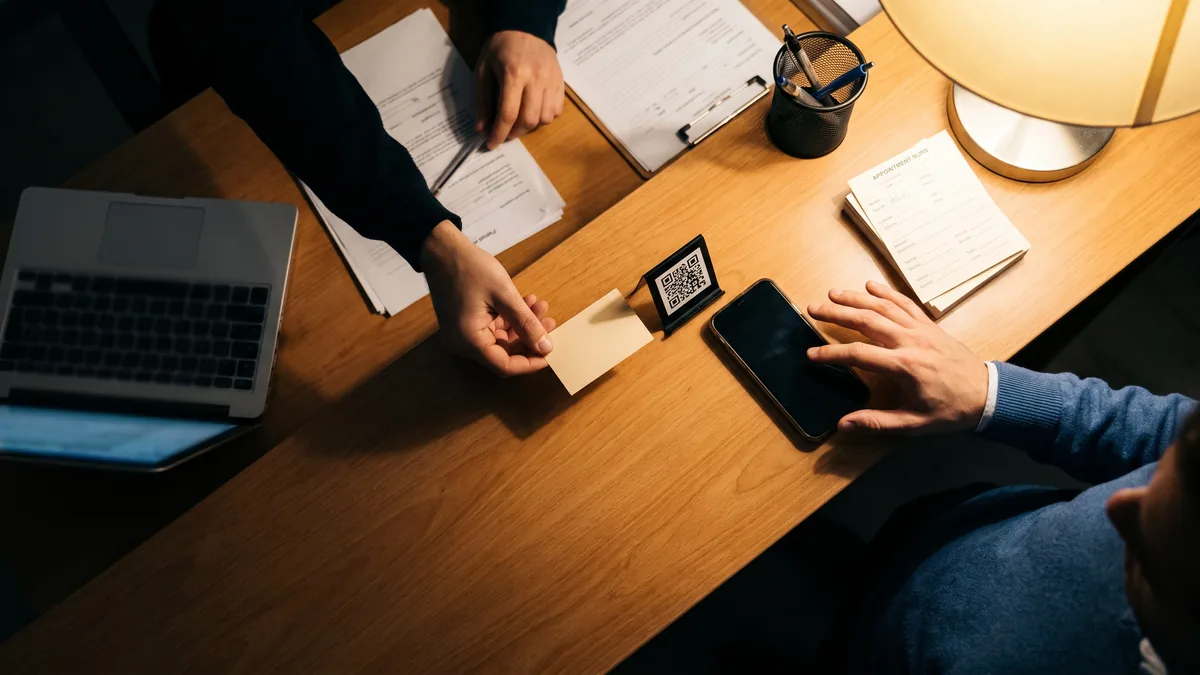
- QR code at the front desk (with text: “Leave your review here”).
- WhatsApp/SMS template from the corporate phone.
- Link in an email if you already send documentation.
Criterion: use the channel that is already integrated into your circuit. If your clinic does not use email with patients, don’t invent a new process just for reviews.
Action to take (this week): create a single message template and always use it. Example template (adjust to your tone):
“Thanks for coming today. If you’d like, you can leave a review on Google here: [link].”
What not to do: practices that get you into trouble
- Incentivising with discounts or gifts in exchange for reviews: besides looking bad, it leaves you exposed if someone complains.
- Filtering: only asking those you “know will give you a good rating” and hiding the rest creates an untrustworthy profile.
- Asking for reviews from a clinician’s personal phone: there’s no control over the process or the messages afterward.
Action to take (today): write down “do / don’t do” rules and share them in the team’s internal group.

How to reply to reviews without getting into privacy trouble
Replying is part of the service, but in public you have a clear limitation: do not confirm clinical information. The AEPD (Spain’s data protection authority) has reminded in various resolutions and rulings that a response can reveal personal or health data if you confirm someone is a patient or give details of the case.
Golden rule: do not confirm the care relationship
Even if the author says “I was seen on Tuesday”, your reply must not confirm anything.
Avoid phrases like:
- “We’re sorry that in your physiotherapy session…”
- “According to your history…”
- “We gave you an appointment with Doctor X…”
Better:
- “We’re sorry to hear this. If you contact us at [channel], we will review your case and get back to you.”
Action to take (today): review your past responses. If any confirms attendance or details, consider editing it or, at least, avoid repeating the pattern.
Useful templates (without sounding robotic)
For a positive review:
- “Thank you for your comment. We’ll pass it on to the team. If you ever need to change an appointment, reception can help by phone.”
For a neutral review (3 stars, short comment):
- “Thank you for sharing. If you tell us privately which part you would improve (appointment, wait, information), we will review it internally.”
For a negative review:
- “We’re sorry your experience did not meet expectations. To review it in detail, please write to [email] or call [telephone] with the date and time slot of your visit. We will look into it and reply privately.”
The key is to ask for administrative details (date, approximate time slot, booking channel), not clinical details.
Action to take (this week): prepare three templates approved by management and use them as a base; personalise one sentence so they don’t look copy‑and‑paste.
Who replies and within what timeframe
If “everyone replies when they can”, you will get:
- impulsive replies,
- long silences,
- messages that vary by day.
Simple model:
- Front desk replies to positive and neutral reviews using a template.
- Management or a designated responsible person replies to criticisms and accusations.
- Quality/operations lead (if there is one) reviews trends and opens internal tasks.
Action to take (today): assign a “reviews owner” (one person). If they go on holiday, name a deputy.
How to reply to a negative review without losing control
Replying to a negative review is not arguing or making excuses. It’s showing you listen, offering a channel and saying you will check the facts. It’s also an opportunity to improve processes (schedule, payments, waiting times).
Five‑step method for a professional reply
- Thank and acknowledge the upset without admitting unverified facts.
- Don’t go into details (clinical or personal).
- Offer a private channel and ask for minimal details to locate the visit.
- Commit to an internal review (without promising outcomes).
- Close in a neutral tone.
Example:
- “Thank you for commenting. We’re sorry you left with that impression. To review this, please write to [channel] with the date and time slot of your visit. We will review it with the team and respond privately.”
Action to take (this week): draft a template reply and test it against the question “Does this confirm the person is a patient?” If it does, rewrite it.
Three frequent situations and how to handle them
- “I was made to wait a long time”
- Reply: ask for date and time slot; offer to review.
- Internal task: check that slot in the schedule: was there an emergency, poorly blocked slots, or double‑booking?
- “I was charged for something I didn’t expect”
- Reply: private channel; avoid discussing prices publicly.
- Internal task: check if a written estimate or prior information was provided and how it was explained at the front desk.
- “Rude treatment”
- Reply: acknowledge and offer private contact; avoid a defensive tone.
- Internal task: identify the shift and staff; review the welcome protocol and scripts for conflict situations (e.g. appointment changes, delays, payments).
Action to take (for each complaint): create an internal report with three fields: “reason”, “time slot”, “corrective action”. Without action, the same review will be repeated.
Fake reviews or from someone who didn’t attend
It happens. Don’t solve it with public anger.
Steps:
- Reply briefly: “We can’t find a record of care with those details. If you contact us at [channel], we will check.”
- Document internally: screenshot and date.
- Use the profile tools to flag the review if appropriate (without entering a public dispute).
Action to take (today): define an internal criterion for “possibly unverifiable review” (no details, generic language, mentions services you don’t offer) so the team acts consistently.
How to turn reviews into real improvements for the clinic
A clinic’s reputation doesn’t rise just by replying. It rises when what’s said publicly matches what happens internally.
Weekly review: 15 minutes with schedule and front desk
Short meeting (management + front desk, and clinical coordination if applicable):
- Read new reviews.
- Classify them as: schedule/waits, payments, treatment, facilities, information.
- Choose one action per week.
Examples of concrete actions:
- Adjust first‑visit slots to avoid delays.
- Change the wording used to explain prices and put it in writing.
- Add a confirmation question: “Did you receive the reminder and do you know how to get here?”
Action to take (every Monday): note in a shared document “issue + decision + owner + review date”.
What to measure with data you already have
Without inventing weird KPIs, look at what exists in your operation:
- Reasons for calls (if you log them): how many are for changes, price queries, lateness.
- Payment incidents: refunds, corrected invoices, confusions.
- Perceived punctuality: if it recurs in reviews, cross‑check with your schedule (overbookings, slot lengths, cleaning times, handovers).
Action to take (this week): add a simple field to the front desk incident log: “Did this generate a complaint or review?” Yes/No. It will reveal patterns.
How to coordinate this with your management software
If you use practice management software (for example, ClinicaDigital Software) for schedule, payments and patient records, the value lies in consistently recording incidents: same reason, same tag, same way to locate the visit. You don’t need to “automate reviews” to see improvement; you need order.
Action to take (with your supplier): ask: “Can I tag an appointment with an incident reason and then extract a list by reason and date?” If not, you’ll have to use a parallel log.
How to Apply This in Your Clinic
Appoint a reviews owner (management). Define today who replies and who reviews patterns; record it in the internal protocol.
- Check: there is one person assigned and a deputy for holidays.
Fix the moment to ask for reviews (front desk). Choose one: at payment and farewell, or in the post‑visit thank‑you message.
- Check: the team uses the same script for a whole week.
Create a single link/QR and a message template (front desk/administration). Have it ready on the corporate phone and on a discreet sign at the front desk.
- Check: anyone at the front desk can send it without hunting for it.
Approve 3 response templates (management). Positive, neutral and negative, with the rule not to confirm a care relationship.
- Check: no public response includes details of appointment, clinician or treatment.
Weekly 15‑minute review routine (management + front desk). Monday: new reviews → classification → one concrete action.
- Check: a task is assigned (who and when) and reviewed the following week to confirm it was done.
Record incidents linked to reviews (front desk). When there’s a complaint or critical review, note date, time slot and reason (schedule, payment, treatment, information).
- Check: at month end you can see which reason repeats and in which shifts it appears.
Frequently Asked Questions
When is it best to ask patients for reviews without pressure?
At the end of the visit, when payment has been resolved and the patient is saying goodbye. Use a short script and offer the link or QR at that moment. If there’s an incident, wait and prioritise resolving it.
How do I reply to a negative review without revealing details?
Reply without confirming that the person is a patient and without mentioning clinical details. Ask them to contact you privately with the date and time slot so you can review what happened. Keep a neutral tone and avoid arguing in public.
Who should manage the Google business profile?
A corporate account should own it, with role‑based permissions, not a personal account. Day‑to‑day, the front desk can reply to positive and neutral reviews using templates. Criticisms and conflicts should be reviewed by management or a designated responsible person.
What do I do if I suspect a review is fake?
Reply briefly saying you can’t find a record of care and invite them to contact you privately to verify. Document the review internally with a screenshot and date. If appropriate, use the profile’s option to flag the review for review.
External Links
- HOW TO MAKE YOUR BED RELAXING AND STYLISH!!
- Cómo crear una cuenta en IRS.gov | Internal Revenue Service
- Cómo cortar el cabello recto | 4 opciones
- Paella Valenciana, la receta mas popular y de la que mas se habla, con todos sus TRUCOS
- The Official Como 1907 Store
- Your **Google business profile
- Replying is part of the service, but in public you have a clear limitation: do not confirm clinical information. The AEPD (Spain’s data protection authority)