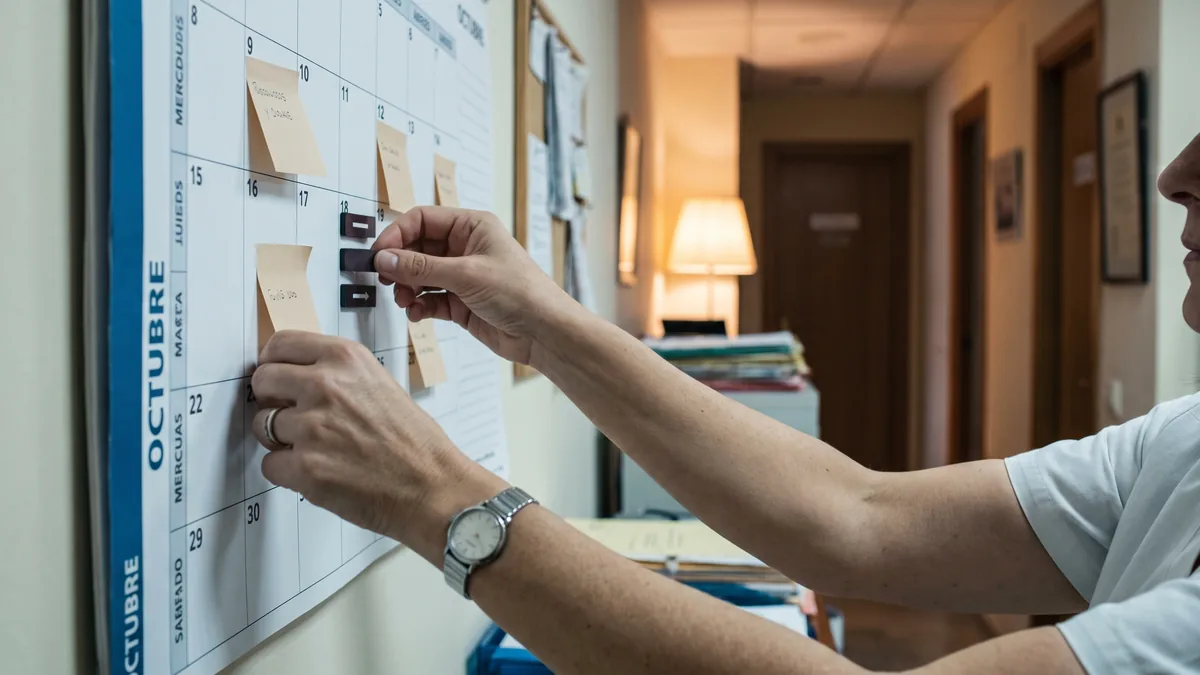
Two practitioners manage the physiotherapy schedule
This guide shows how to organise a two‑practitioner physiotherapy clinic schedule: appointment durations, patient allocation, slots and operating rules.

Key Takeaways
- A schedule works when it sets rules: session length by speciality, buffers between appointments and what to do with delays and emergencies.
- With two physiotherapists, patient allocation between professionals must be based on written criteria (technique, continuity, availability) and reviewed weekly.
- A shared schedule only reduces calls if the front desk and clinicians record the same appointment status: booked, confirmed, in-room, completed and paid.
- 30-minute slots are a useful planning unit, but you must decide which services take 1, 2 or 3 slots with no ad‑hoc exceptions.
- Real control of the schedule comes from three reviews: morning opening, midday check and end‑of‑day close with payments and rebookings recorded.
Organising the schedule with two professionals is not about “filling it”; it’s about every appointment having clear rules and being handled the same way every day. When the front desk and the treatment room work with different criteria, dead slots, delays and double bookings appear.
Define the schedule map before booking
A small clinic gains stability when it first decides how to schedule and then starts fitting patients in. With two physiotherapists, any exception is obvious on the same day.
Set session length by speciality (and stick to it)
Session length by speciality is not a clinical detail; it’s an operational rule. If it’s not written, the front desk improvises and the clinician “will see”, and the schedule stops being reliable.
Actionable step (this week):
- Make a list of services exactly as you take them on the phone (for example: “first session”, “review”, “private session”, “dry needling”, “individual therapeutic pilates”, “report for insurer”).
- Beside each, define the duration in 30‑minute slots: 1, 2, 3… no half measures.
- Decide which services require a buffer (for example, 0 or 1 extra slot) to prepare the room, clean the couch or complete notes.
What to measure with data you already have:
- Review 20 appointments from last week and note: planned duration vs actual duration (even if “by eye” from exit time). If they almost always run over, the rule is wrong or it’s not being followed.
Decide when a session can be “split” and when not
With two professionals, the typical problem is: “If there’s no slot today, I’ll book 30 minutes and the physio will complete it.” That breaks the schedule.
Practical rule:
- You may only book a shorter duration than standard if there is a defined service for that time (for example, “short check” if you really offer it).
- If none exists, do not split: offer another day or another professional.
Actionable step:
- Write a short front desk script: “For that issue we work with X‑minute sessions; if today doesn’t suit you, I can offer these slots.”
Block what is not an “appointment”: admin and buffer slots
Two physiotherapists typically also do unseen tasks: calls, reports, coordination with insurers, reviewing exercises, etc. If these have no place, they eat into the timetable and cause delays.
Actionable step:
- Block in the schedule (visible) two types of time:
- Administration (for example, “pending calls”, “reports”).
- Buffer slot (to absorb delays or real emergencies).
- Decide a simple rule: “The buffer slot can be released by the front desk only if the professional authorises it.”
Set shared schedule rules between front desk and treatment room
A shared schedule is useful if everyone interprets what they see the same way. If not, it becomes a list of names without control.
Define appointment statuses everyone uses the same way
Whether it’s a paper schedule or a calendar, you need clear statuses. If you use software, better; if not, at least a common code.
Recommended operational statuses:
- Booked: there is a slot and minimum details, but confirmation is pending.
- Confirmed: the patient has replied and will keep the appointment.
- In‑room: the patient is in the clinic and waiting or already seen.
- Completed: session done and notes recorded.
- Pending payment / Paid: don’t leave this “for later”.
Actionable step:
- Choose 5 statuses and pin them on a sheet at the front desk and in each treatment room.
- Agree who changes each status (front desk / professional) and at which exact moment.
What to check:
- At the end of the day there should be no “completed” appointment without a defined payment state (paid or pending with reason).
Clarify who can move appointments and by which criteria
With two professionals, chaos appears when someone “rearranges” without telling anyone: changing clinician, time or service.
Minimum rules:
- The front desk may move appointments only within the same clinician and same duration, unless authorised.
- Changing clinician requires reviewing the allocation of patients between professionals and continuity of care (operational, not clinical): who knows the case, what follow‑up remains, how many sessions are left.
- Changing duration requires returning to the rule on “session length by speciality”.
Actionable step:
- Create an internal note like: “Moved by: ___ / Reason: ___ / Professional notified: yes/no”.
- If you use a management system (for example, Clínica Digital Software), ask the provider how it logs changes and who made them.
Ensure minimum booking data
If data is missing, the schedule fills with “maybes” that later fall through.
Minimum details the front desk must always record:
- Full name (no odd abbreviations).
- Phone number.
- Reason in schedule language (e.g., “first session”, “review”, “treatment package”, “report”).
- Assigned professional or allocation rule (“first available”, “continuity with X”).
- Intended payment method if it affects operations (treatment package, insurer, private).
Actionable step:
- Review 10 recent bookings and mark how many have those five fields. If missing, it’s not “a detail”: it causes empty slots.
Use 30‑minute slots without losing control
30‑minute slots are a convenient unit, but they mustn’t become a ruleless tetris.
Build a stable weekly template per professional
With two physiotherapists, a template avoids daily decisions and reduces calls.
Actionable step:
- Draw a typical week per professional: morning/afternoon, breaks, admin, buffer slot.
- Decide what can be booked in each band: for example, “first sessions only in the afternoon” if continuity is mostly in the morning, or vice versa. Do not choose on a whim: choose based on clinic logistics.
What to measure:
- Note for a week which bands have the most delays and which have the most cancellations. Adjust the template, don’t improvise each day.

Avoid mixing incompatible durations in the same band
The typical problem: fitting a long first session between short reviews and then “everything shifts”.
Practical rule:
- Group by blocks: for example, two hours with 30/60‑minute sessions and another band for long sessions. You don’t need total rigidity, but do have a clear preference.
Actionable step:
- On Monday, mark two “preferred” bands for long sessions in each professional’s schedule and use this as the criteria when calls come in.
Decide how to use single free slots
Single free slots happen. The question is: who uses them and for what?
Operational options (choose one and write it down):
- Single slots only for reviews or short checks (if these exist as services).
- Single slots are offered to the waiting list by priority order (see next section).
- Single slots are held as buffer and released at a fixed time (for example, “if still free at 12:00, offer them”).
Actionable step:
- Define a daily “release time” for buffer slots and have the front desk respect it.
Allocate patients between professionals without friction
With two professionals, allocation affects patient satisfaction, revenue, cognitive load and delays. If there are no criteria, everything ends up “whoever fits”.
Allocation criteria the front desk can apply
Without entering clinical decisions, the front desk can assign by clear rules.
Common criteria (choose 2–3 and write them down):
- Continuity: if the patient has already seen a professional, keep them with that clinician unless they ask otherwise.
- Technique/service: some services are preferentially assigned to one clinician (by internal training or organisation).
- Availability: if the patient can only attend certain times, assign to the clinician with compatible hours.
- Load: if one schedule is full, redirect to the other within agreed rules.
Actionable step:
- Create a one‑page table: “Services and preferred assignment”. It’s for the front desk to decide quickly, not for patients.
Manage “second opinions” and clinician changes
Scenarios: the patient asks to change, or a clinician suggests the other should see them for organisational reasons.
Operational rule:
- Record the change as an event: “Change of clinician requested by patient” or “for internal organisation”.
- Decide if the change implies a first session (more time) or a review (standard time), following your scheduling rules, not urgency.
Actionable step:
- Add an internal field in the patient record: “Usual clinician” and “Reason for change”. If you don’t have software, use a clear label on the paper record.
Control treatment packages and remaining sessions to avoid disputes
Allocation breaks down when it’s unclear how many sessions remain or who used them.
Actionable step:
- Each time a treatment package is paid for or a session is used, record:
- Type of package.
- Purchase date.
- Total and remaining sessions.
- Professional who provided the session (for internal control).
- Weekly review: list of active packages with remaining sessions and patients without their next appointment scheduled.
What to check:
- If you find “phantom packages” (paid but not tracked) or “sessions done but not recorded”, the problem is not accounting: it’s the schedule and end‑of‑day close.
Reduce cancellations and no‑shows with a simple protocol
You don’t need elaborate campaigns. You need the front desk to do the same thing every time.
Confirm with a script, not with loose messages
Confirmation is not “I remind you of your appointment”; it’s closing uncertainty.
Confirmation script (phone or message):
- “I confirm your appointment on [day] at [time] with [professional], duration [X]. Can you attend?”
- If they hesitate: “If you need to change it, tell me now and I’ll propose alternatives.”
- If they confirm: mark status Confirmed and, if relevant, remind the internal policy (for example, advance‑notice) without threats.
Actionable step:
- Define a fixed window: confirmations for the following day at late morning or early afternoon, and assign responsibility.
Create a waiting list that actually works
A useful waiting list is not “a list of names”; it has criteria.
What to record on the waiting list:
- Real availability (days/hours).
- Preference for clinician or “any”.
- Required duration (in 30‑minute slots).
- Operational priority (for example, continuity vs first visit).
Actionable step:
- When a slot appears, the front desk calls in order, but only those who fit by duration and availability. If it doesn’t fit, don’t “force” the schedule.
Close the day so the next one doesn’t start broken
Tomorrow gets spoiled when today ends with loose ends: unpaid items, “in‑the‑air” appointments, sessions without a next appointment.
10‑minute close routine (no magic numbers)
It doesn’t need to be long; it needs to be consistent.
Closing checklist (front desk + professional):
- All appointments of the day have a final status: completed and paid, or completed and pending with reason.
- Rebookings done in the schedule, not “noted to call”.
- Patients who must return: next appointment booked or task assigned (“call X tomorrow”).
- Incidents recorded: significant delays, scheduling conflicts, lost slot and reason.
Actionable step:
- Reserve a fixed block at the end of the shift for this close. If it doesn’t exist, it will be attempted “between patients” and then won’t be done.
Monday routine: set the week, don’t suffer it
With two professionals, the week is decided on Monday, not Friday.
What to review every Monday (30 minutes with the schedule open):
- Long appointments: are they well placed according to the template?
- Single free slots: can they be filled from the waiting list?
- Allocation of patients between professionals: is there imbalance by hours or services?
- Admin blocks: are they real or have they been eaten by appointments?
Actionable step:
- Name one responsible for that review (management or front desk) and a second reviewer (one of the physios). Without two eyes, errors slip through.
Comply with data protection without blocking the schedule
The schedule contains personal data. The aim is to work normally without leaving doors open.
Decide what can be said by phone and what not
The front desk needs clear limits, especially when a relative calls or someone comes “to ask”.
Practical rule:
- Confirm times and appointments with the patient and avoid detailing reasons unless necessary for management.
- If identity is in doubt, offer to call back to the registered number.
Actionable step:
- Write a two‑line internal rule and rehearse it with the team. If everyone improvises, mistakes will happen.
Choose tools with access control and activity logs
If you use software, ask for evidence of control, not promises.
Questions to ask a provider:
- Can you limit what each user sees (front desk vs professional)?
- Is there an audit log of access or changes (who moved an appointment, who edited a record)?
- How are backups and data export handled if you change systems?
Organisms and regulation to keep on your radar:
- AEPD (the AEPD (Spain’s data protection authority))
- GDPR** (Reglamento (UE) 2016/679)
- LOPDGDD** (Ley Orgánica 3/2018)
Actionable step:
- Review who has a user and password today. If accounts are shared, make changing that a priority operational task.
How to Apply This in Your Clinic
Management (today, 30 minutes): define the list of services “for the schedule” and assign durations in 30‑minute slots; print a rules sheet.
Check: the front desk can book without asking “how long shall I put?” in 80% of calls (measure with a tally for one day).Front desk (tomorrow, first thing): create appointment statuses and decide when they change (booked, confirmed, in‑room, completed, paid/pending).
Check: at day close there is no appointment without a final status or defined payment state.Professionals (during morning, between patients): block administration time and one buffer slot in the schedule; agree what can be released without permission.
Check: reduce last‑minute adjustments that cause delays (note incidents on paper for one week).Front desk + one professional (Monday, 30 minutes): review the weekly template, long appointments and single slots; apply the waiting list with criteria.
Check: slots are filled without moving already confirmed appointments, except for recorded exceptions.Management (this week, 20 minutes): prepare three questions for providers if you plan to change or adjust the system (permissions, change logs, data export).
Check: you receive concrete, comparable written answers, not “yes, that’s possible”.
Frequently Asked Questions
How do I allocate patients between two physiotherapists without mess?
Define written criteria the front desk can apply: continuity, service and availability. Record the “usual clinician” and the reason for any change. Review allocation every Monday with the schedule open.
What appointment length should I use if services differ?
Use a table of session lengths by speciality based on your actual services and convert it to 30‑minute slots. If a service doesn’t fit the standard length, don’t “split” it: create a specific service or reserve more slots. Keep the rule stable for at least a week before changing it.
Who should be able to move appointments in a shared schedule?
The front desk should be able to move only simple changes and not alter duration or clinician without authorisation. Changes of clinician or duration must be recorded with a reason and the clinician notified. If the system allows it, use individual user accounts and an audit log.
How do I handle free slots without upsetting the whole schedule?
Decide a single policy for single slots: only reviews, waiting list by fit, or release at a fixed time. Record real availability and required duration on the waiting list so you don’t call “blind”. At day end, leave the next day’s slots either confirmed or in the confirmation process.
External Links
- Informe de evaluación sobre el impacto de la Primera …
- Marco Estratégico para la Atención Primaria y Comunitaria
- UnidadHospitalDia.pdf
- BOE-A-2003-21340 Ley 44/2003, de 21 de noviembre, de ordenación de las profesiones sanitarias. (the BOE (Spain’s official gazette))
- Unidad de Tratamiento del Dolor
- AEPD
- GDPR** (Reglamento (UE) 2016/679)
- LOPDGDD** (Ley Orgánica 3/2018)